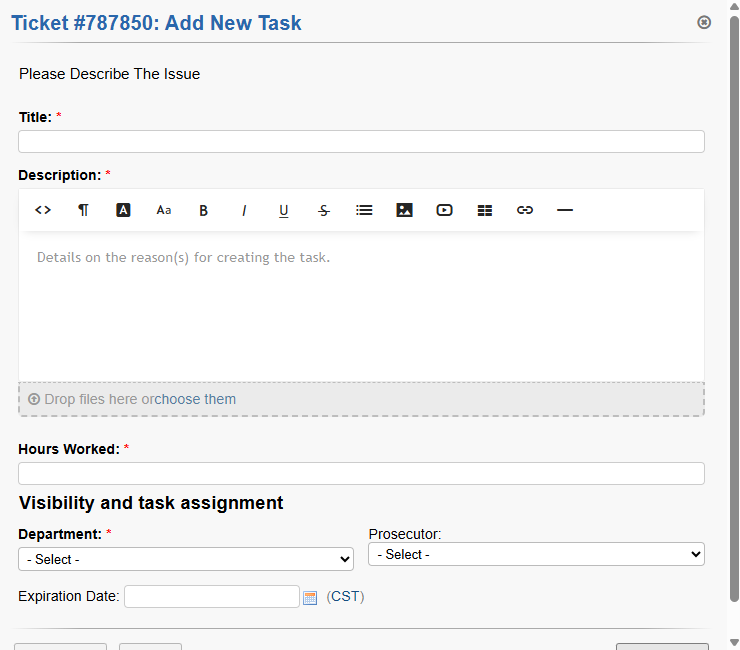
Good morning. Does anyone know how I can edit this form? I've already looked in forms, but I can't find it. I want to delete fields or at least remove them from being required.
rsan Admin Panel > Manage > Forms > Task Details
Thank you, but where I want to know if I can determine the department and the prosecutor, so that the agent's department and the name of the agent who is creating the activity can be designated.
Try looking at Admin Panel > Manage > Lists
mpev
Those are hardcoded fields with no config available in the UI. You can try this to see but it will limit the Agent's Department selection across the board:
Cheers.
Is there another way besides UI?
rsan
Yes, by modifying the codebase. When modifying the codebase you are always on your own as you are deviating from core. The code is open source and publicly available on Github. Github has a great search tool and even a code tree/glossary that aids in navigating the code. You will proceed at your own risk. Good luck!