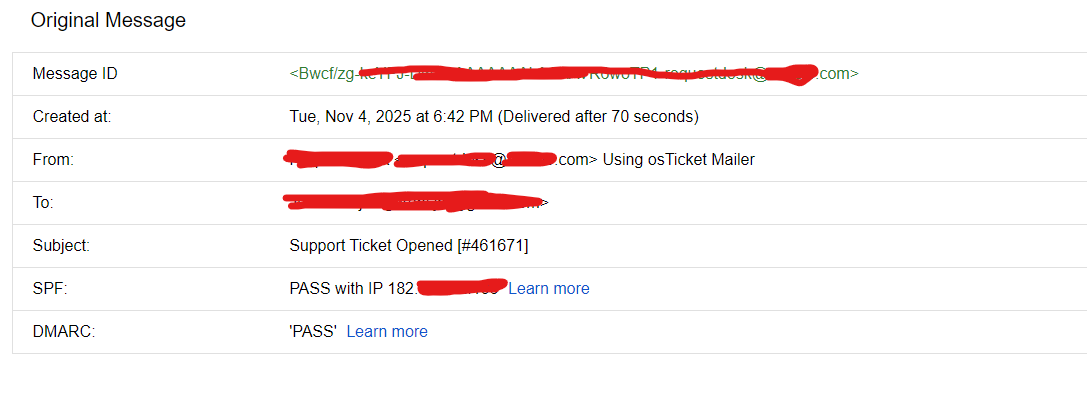
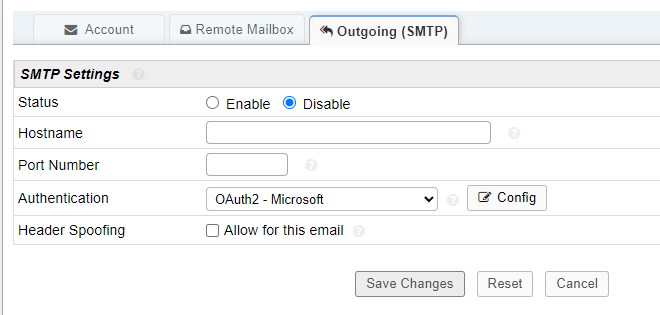
KevinTheJedi Hello, just so that anybody facing issues with godaddy email sending to internal emails (email1@company.com to email2@company.com) below are the steps needed to rectify it.
Firsty, if you are using a shared hosting, only port 25 will be open and you need to use localhost with no authentication. as per the below photo for SMTP
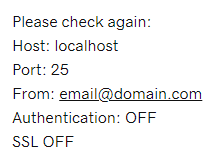
you have to then use OAuth2 for authentication the remote mailbox for fetching tickets (it connects, but i did not implement it as we decided that we will not need it as this is an internal ticketing system for company requests)
Then you should send a test email. if the test email fails, Ensure that email routing is configured properly
I am using cpanel, so you have to open cpanel -> Emails -> Email Routing & you need to select Remote Mail Exchanger This is especially important if you had webmail before migrating to O365 with godaddy as godaddy will try to route all incoming emails to @company.com to its internal servers first before remote servers. enabling this option will allow you to skip the internal webmail servers first.
Note: this was the main reason i was not getting any message traces for the sent emails, as they were being redirected to godaddy's server & sent to the webmail which is no longer active.
Note: you may need to adjust your DNS settings as well to add office365 to your domain. i did that but it didn't solve the problem. then i did the remail routing which finally resolved the issue.